mevius Casino & Sportsbook Mobile App
Access mevius on your mobile device — Android via APK download or iOS through your browser. Our mobile-first design keeps sportsbook betting, live-dealer tables, slots, and esports markets at hand. Navigation is streamlined for small screens; deposit and withdrawal flows are built for quick account management.

- Update
- LoginOTP Verification
- Installin
We at mevius prioritize mobile experience because most users access our platform from smartphones. Whether you use Android or iOS, our interface adapts to your device. Live updates on Liga 1 matches, real-time table action, and instant notifications keep you connected to the games you follow.
Read below for installation steps, device compatibility, and troubleshooting. Choose your platform and begin.
How to Access mevius on Mobile
Android, iOS, and Web options for mevius
We offer three paths to access mevius on mobile. Android users can download our APK directly — no app store required. iOS users can add mevius to their home screen as a web app or open it in Safari without installation. Web users on any device can access mevius.app directly in their browser. All three paths offer the same sportsbook, live-dealer tables, slots, and esports features. Choose the method that suits your device and preference.
Installing mevius on Android
To install mevius on Android, download the APK file from our website. Open your file manager, locate the downloaded file, and tap it. Android will prompt you to allow installation from unknown sources — confirm this once. The app installs within seconds. Once installed, open mevius from your home screen or app drawer. Log in with your email and password or create a new account. Your account on mevius works seamlessly across Android, iOS, and web — all share the same balance and betting history.

Setting up mevius on iOS
iOS users access mevius through Safari or another browser. Visit mevius.app in your browser and log in. To add mevius to your home screen, tap the Share icon, select "Add to Home Screen", and confirm. This creates an app-like shortcut that launches mevius quickly. No App Store installation is required. The home-screen shortcut works just like an installed app — it stores your login session and displays notifications. You can also simply bookmark mevius in Safari for quick access.
mevius works on all devices
Your mevius account is the same across Android APK, iOS web, and desktop browser. Deposits, withdrawals, and gameplay sync instantly. Log out on one device and log in on another — your balance and bet history remain current.

Installation Steps and Device Requirements for mevius
Four-step installation guide for mevius
- Download the mevius APK file (Android) or open mevius.app in your browser (iOS / web).
- Follow the on-screen prompts to install (Android) or add to home screen (iOS) — no sign-up required yet.
- Open mevius and tap "Register" to create your account with email, password, and personal details.
- Verify your account with ID and address documents, then deposit via QRIS, e-wallet, mobile banking, local payment, online payment, e-wallet, mobile banking, local payment, online payment, or e-wallet to begin betting on Liga 1, live tables, slots, or esports.
Device compatibility for mevius
mevius works on Android 7.0 and above. If your Android device is older, update your operating system or use our web version in your browser instead. For iOS, our web version works on iOS 12 and above — Safari, Chrome, or Firefox all support mevius.app. For desktop, any modern browser (Chrome, Firefox, Safari, Edge) on Windows, macOS, or Linux runs mevius smoothly. We recommend a stable internet connection (4G or WiFi) for live-dealer tables and real-time sportsbook updates.
App versus browser on mevius
Our Android APK offers several advantages over the web version: offline cache stores your recent betting history and game library, reducing data use; push notifications alert you to live match updates and table availability; and startup speed is faster than loading the website. The browser version works equally well for deposits, withdrawals, and account management — it simply reloads data from the server each time. Choose the APK if you play frequently; choose the browser if you prefer not to install apps. Both versions support all mevius games, payment methods, and account features equally.
Common installation issues on mevius
If you see "Unknown sources" or "Install blocked" on Android, check your device settings: go to Settings > Apps > App Permissions > Install Unknown Apps, find your browser, and toggle "Allow from this source". This permits APK installation without affecting your security. If iOS shows a blank page when you open mevius.app, clear your Safari cache: Settings > Safari > Clear History and Website Data, then refresh. For slow loading, switch to a stronger WiFi connection or 4G; check that your device has at least 100 MB of free storage. If login fails, verify your email and password — account recovery is available if you forgot your password.

Data, permissions, and security on mevius
Our mevius Android APK requests minimal permissions: internet access to connect to our servers, and optional camera/microphone for live-dealer table video if you enable it. We do not request contacts, calendar, or file access. Your login credentials and payment details are encrypted before transmission. Your account balance and betting history are stored securely on our servers. We do not track your location or sell your data to third parties. When you open mevius, always verify the domain in your address bar reads mevius.app — never access through suspicious URLs. If you suspect account breach, change your password immediately and contact our support team.
mevius mobile features
- Live-dealer tables with multi-camera studios and multilingual dealers
- Sportsbook betting on Liga 1, Piala Indonesia, Champions League, MotoGP, and badminton
- Slot games including Aviator, Sweet Bonanza, Gates of Olympus, Fortune Tiger, and Mahjong Ways
- Esports markets for Mobile Legends, Free Fire, and PUBG Mobile
- Deposit and withdrawal via mobile banking, local payment, online payment, e-wallet, mobile banking, local payment, and direct bank transfer
- Push notifications for live match updates and promotional offers
- Account verification and KYC in under 24 hours
mevius Mobile Support and Closing Notes
Support for mevius mobile users
If you encounter issues installing mevius or logging into your account, contact our support team. Provide your device type (Android / iOS), your operating system version, and a description of the problem. We respond during business hours. For urgent account access issues, use live chat in the app or on our website. For technical installation help, our FAQ covers the most common questions. If you need to change your registered email or phone number on mevius, request this through your account settings or contact support directly.
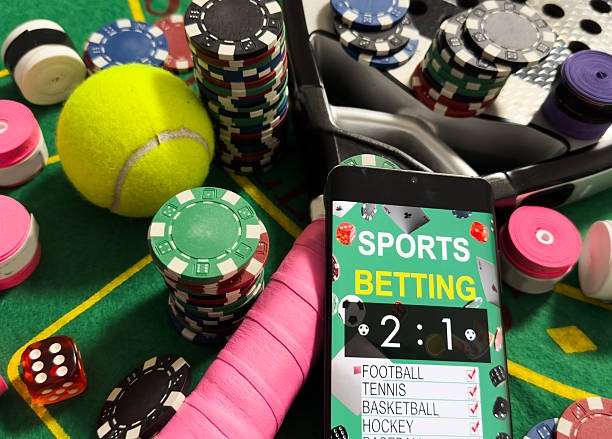
Staying updated on mevius
We regularly update mevius — adding new sportsbook markets, live-dealer tables, and slot games. On Android, the APK updates periodically; download the latest version from our website to access new features. On iOS and web, updates happen automatically — simply refresh your browser or close and reopen the mevius shortcut. Our mevius platform is available only in jurisdictions where local law permits. Users in Jakarta, Surabaya, Bandung, Medan, and Semarang can access mevius subject to their local law. All users are responsible for verifying that their access complies with their jurisdiction's regulations. During holidays like Idul Fitri, Idul Adha, Imlek, and Nyepi, response times may be longer, but mevius services remain available.
We at mevius have optimized our platform for mobile-first access. Whether you choose Android APK, iOS web app, or browser access, your experience is seamless. Your account, deposits, and withdrawals sync instantly across all devices. Read this guide, follow the installation steps, and begin using mevius on your device. If you have questions, our support team is ready to help. Our mevius service is available only where local law permits online gaming.